
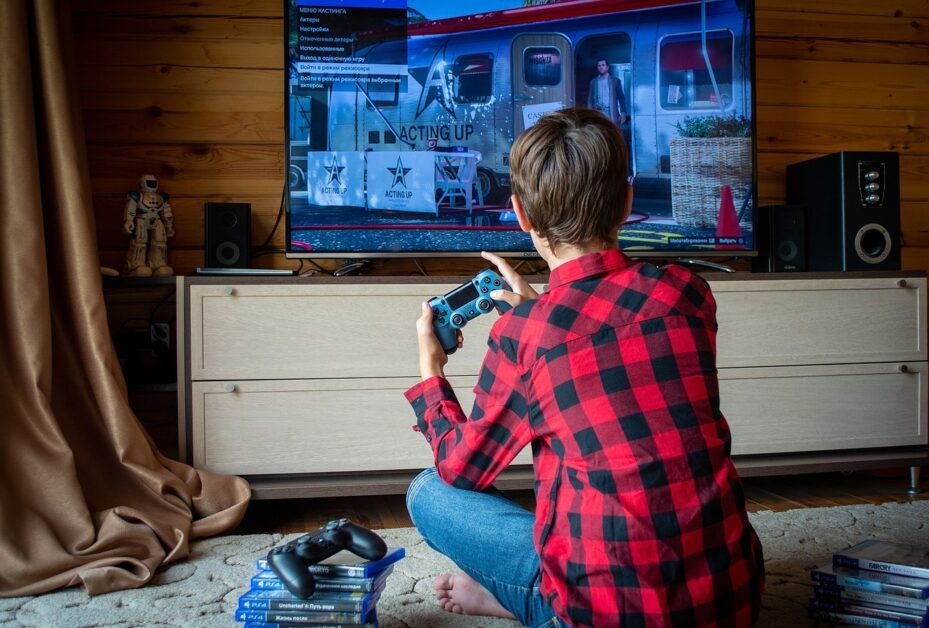
Here’s a frustrating reality: the Xbox Series X is capable of outputting 4K at 120fps, but most people are playing on displays that can’t take full advantage of it. Whether you’re using an older TV or a monitor that maxes out at 60Hz, you’re leaving performance on the table.
In 2027, the monitor market has matured enough that you have genuinely excellent options at multiple price points. Here’s what I’d actually recommend.
What You Need to Know Before Buying
There are three specs that matter most for Xbox Series X compatibility:
HDMI 2.1: This is non-negotiable if you want 4K at 120fps simultaneously. HDMI 2.0 can do 4K, but only at 60fps. HDMI 2.1 handles both at once. Check this carefully — many monitors advertise “4K” and “120Hz” separately but don’t support both at the same time without HDMI 2.1.
Refresh Rate: 120Hz is the sweet spot. The Xbox Series X supports up to 120fps in supported games, and having a 120Hz display means you actually see those frames. 144Hz or 165Hz won’t hurt — the Xbox will run at 120Hz on those panels anyway.
Response Time: For fast-paced games — shooters, racing, fighting — you want 1ms or as close to it as possible. Slow response times create motion blur that’s particularly noticeable in competitive play.
Screen Size: For desk gaming, 27 inches is the sweet spot. 32 inches works if your desk is deep enough that you’re not sitting too close. Anything larger starts to feel uncomfortably wide at typical desk distances.
5 Best Monitors for Xbox Series X
1. LG 27GP950-B — Best Overall Pick
This is the monitor I’d point most Xbox Series X owners toward. It checks every important box without compromise.
What you get: 4K resolution, 160Hz refresh rate, Nano IPS panel (which means excellent color coverage), true HDMI 2.1 support for 4K/120fps, and a 1ms GtG response time. The VESA DisplayHDR 600 certification means HDR content looks genuinely good, not just technically supported.
The colors are accurate out of the box, the stand offers good height and tilt adjustment, and it handles the full Xbox Series X output natively. It’s on the pricier end, but it’s the kind of monitor you buy once and don’t think about for years.
2. Samsung Odyssey G7 (32″) — Best for Immersive Gaming
If you want to feel like you’re inside the game rather than watching it, the Odyssey G7’s 1000R curve creates a genuinely enveloping field of view.
It comes in QHD and 4K versions — for Xbox, go with the 4K model that includes HDMI 2.1. The VA panel produces deeper blacks than IPS, which makes darker games look particularly striking. 240Hz on this panel is technically possible but Xbox caps at 120fps anyway, so you’re getting headroom rather than necessity.
Best for: open-world games, racing games, and anyone who’s previously used a flat ultra-wide and wants to see if the curve delivers on its promise.
3. ASUS ROG Swift PG32UQX — Best Image Quality (Premium)
If budget isn’t the constraint, this is the monitor that shows you what current display technology can actually do. The Mini-LED backlighting with 1400-nit peak brightness makes HDR content look strikingly different from standard displays.
4K at 144Hz with HDMI 2.1, exceptional color accuracy, and a premium build. The price is high — but if you’re going to spend serious money on a monitor, this is the kind of investment that shows its value every single time you turn it on.
4. AOC Q27G2S — Best Under $250
Not everyone wants or needs to spend $500+ on a monitor. The AOC Q27G2S delivers an excellent gaming experience at a genuinely affordable price.
At 1440p and 165Hz with a 1ms IPS panel, you won’t get 4K, but you will get crisp visuals and buttery smooth motion. It doesn’t have HDMI 2.1, but at 1440p you don’t need it — the Xbox Series X outputs 1440p at 120fps over HDMI 2.0 without issue. This is the right choice for someone who wants a noticeable upgrade from 1080p without the premium price.
5. Dell S2722DGM — Best All-Rounder Under $300
Dell’s reliability reputation is well-earned, and the S2722DGM delivers solid performance in a slightly curved VA panel at QHD resolution with 165Hz. Good HDR performance, reliable panel quality, and Dell’s warranty and support give you peace of mind.
It’s not the most exciting choice on the list, but for someone who wants a dependable, well-built monitor that covers all the basics, it’s a very safe pick.
Side-by-Side Comparison
$
| Monitor | Resolution | Refresh | HDMI 2.1 | Approx. Price |
|---|---|---|---|---|
| LG 27GP950-B | 4K | 160Hz | Yes | $$$$ |
| Samsung Odyssey G7 | 4K | 240Hz | Yes | $$$$ |
| ASUS ROG PG32UQX | 4K | 144Hz | Yes | |
| AOC Q27G2S | 1440p | 165Hz | No | $$ |
| Dell S2722DGM | 1440p | 165Hz | No | $$ |
Don’t Forget the Rest of Your Setup
A great monitor makes more difference when the rest of your setup supports it. If you’re gaming for long sessions, your chair matters as much as your display — check out our GT Racing gaming chair review for an affordable option that holds up well. And if you’re curious about unusual corners of gaming history, our KFC gaming console article is worth a read.
My Honest Recommendation
For 4K gaming: LG 27GP950-B. It’s genuinely excellent and justifies its price.
For budget gaming: AOC Q27G2S. At 1440p/165Hz it’s a significant step up without the premium cost.
For the cinematic experience: Samsung Odyssey G7 with the curve turned up.
Whatever you choose, just make sure it has HDMI 2.1 if you’re going 4K — without it, you’re not getting the full Xbox Series X experience.
Which monitor are you running with your Xbox? Tell us in the comments.
2 thoughts on “5 Best Monitors for Xbox Series X in 2027 — No Marketing Fluff”